YouTube Studio adds video A/B tests, dynamic thumbnails and conversational editing
Sponsored by Klovera

Quick one from me before the day gets loud. The three clips borrow the same disguise: an ordinary camera pointed at something that could not be there, a dragon underwater, a baby in a cabin, a cat at a sink. YouTube leads the news with a Studio update that tests your thumbnails and edits by conversation. The Secret makes a case for the street-interview frame, and against the wide kitchen shot that loses buyers on a phone. Framing is free and it decides who stays. Start with the clips.
In today's paid edition: 3 clip recipes · 5 stories · the full Secret · member pricing on Klovera — Upgrade $3.99/mo.
📈 Trending
Three clips, three things that cannot happen, each shot as if a camera just happened to be there. A dragon hunting a fish like a nature documentary, a baby asleep in a cabin like a home video, a cat doing dishes like something filmed on a phone in a friend's kitchen. The camera is ordinary every time, and only the subject is not.
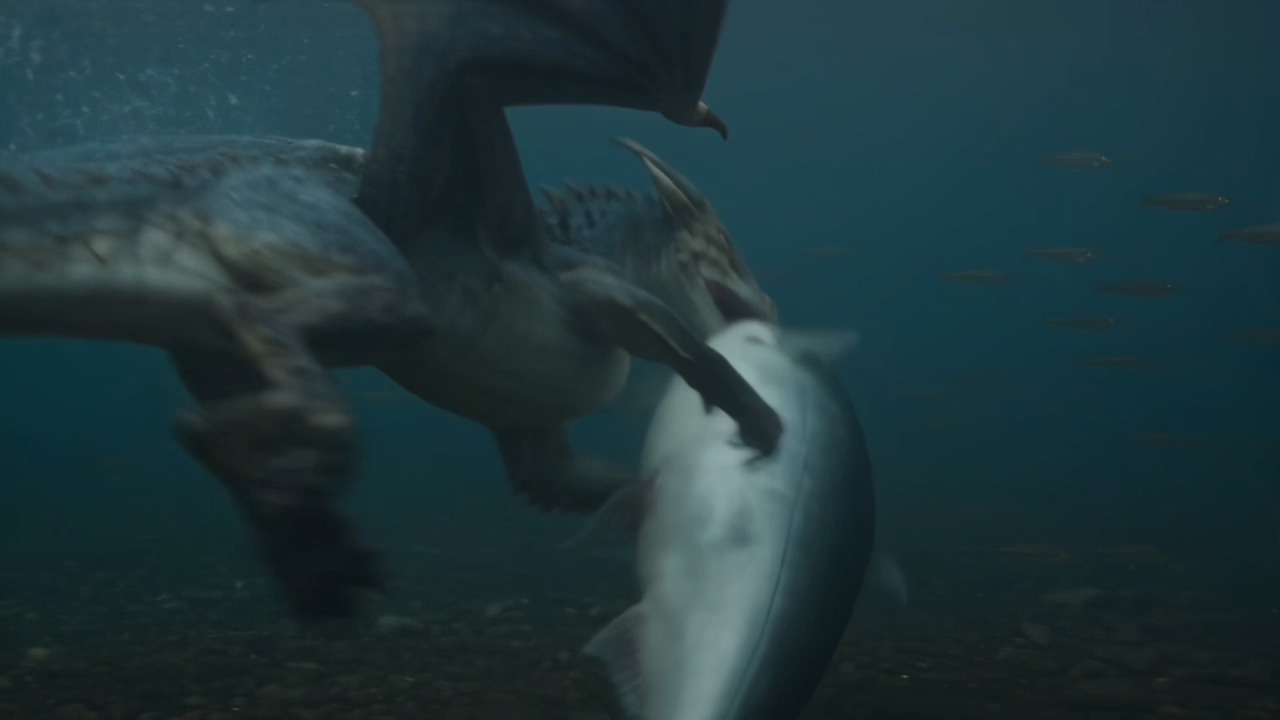
1. A dragon hunts a fish, shot like wildlife footage
▶ Watch on Instagram · @mrbashr_ai
An underwater shot of a winged dragon closing its jaws on a large fish, murky blue-green water, a school of smaller fish drifting past in the background. It is framed like wildlife footage, camera low and close, motion blur on the fins. The caption asks who wins. Made by @mrbashr_ai, who credits a video model in the caption.
📈 700,128 views — 98× the account's median
Why it works:
- Shoot the impossible like wildlife. Handheld underwater realism makes the brain accept a dragon before it gets a chance to object.
- Start on the bite. The frame opens at the moment of contact, so there is no wait for a payoff.
- Ask the question in the caption. Who wins is a cheap prompt for comments and a second watch to check the answer.
Steal this — paste into Klovera
The exact prompt to recreate this clip
2. A baby sleeps in a log cabin, nothing else happens

▶ Watch on Instagram · @rudenko.aivideo
A baby asleep on a plaid blanket inside a log cabin, cheek on the pillow, one arm tucked under. A moose lamp glows on the nightstand next to a wooden toy truck and a teddy bear, and snow shows through the window. The still frame sells calm before anything moves, and the caption is a two-word Russian lullaby hush. Posted by @rudenko.aivideo.
📈 1,439,074 views — 40× the account's median
Why it works:
- Light the room warm. Amber lamp and firelit wood tell the viewer this is safe before they know what it is.
- Fill the frame with texture. Plaid, log walls and small props give the eye somewhere to wander while nothing moves.
- Match the caption to the mood. A two-word lullaby hush tells viewers to slow down rather than keep scrolling.
Steal this — paste into Klovera
The exact prompt to recreate this clip
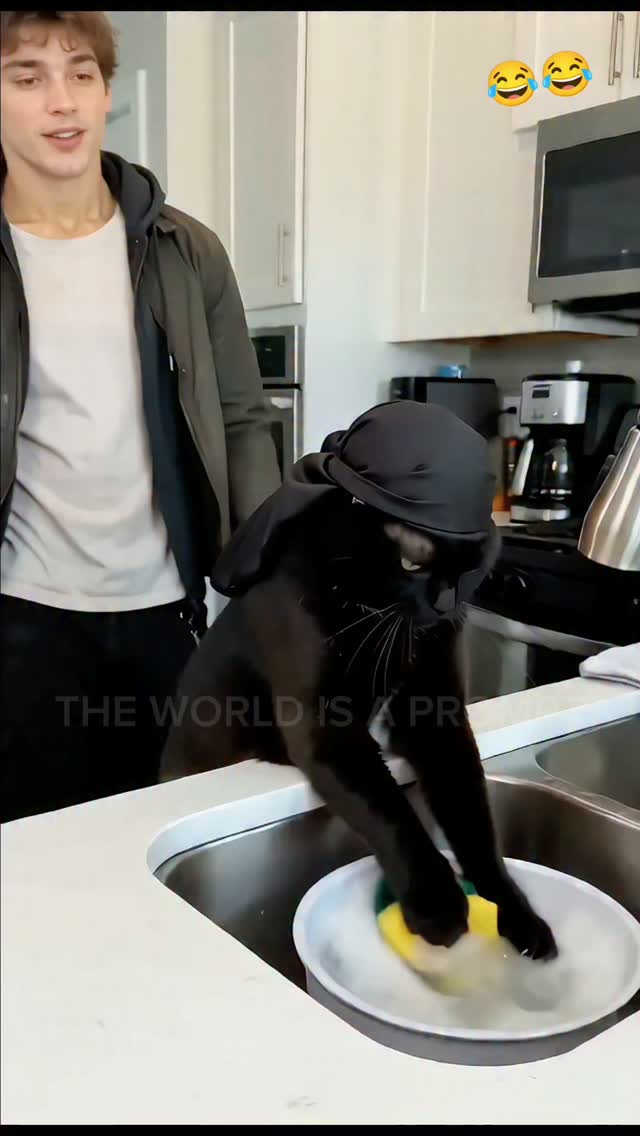
3. A hooded cat does the dishes while its owner grins
▶ Watch on Instagram · @theworldisaprompt
A black cat in a small black hood stands upright at a kitchen sink, front paws in a basin of suds, scrubbing a plate with a yellow sponge. A young man in a jacket stands behind it, grinning. The caption casts it as a prank and the cat as unimpressed. From @theworldisaprompt, with laughing emojis stamped on the frame.
📈 126,083 views — 12× the account's median
Why it works:
- Give the animal a job. A cat washing dishes is a complete joke in one frame, no setup required.
- Keep a human in shot. The man's grin tells you how to feel and makes the kitchen read as real.
- Keep the camera boring. Flat kitchen light and a phone look mean the cat is the only thing that is off.
Steal this — paste into Klovera
The exact prompt to recreate this clip
Try this on your next idea: Pick one impossible subject and shoot it with the dullest, most ordinary camera you can imagine.
✨ Sponsored

Don't want to learn a tool? Fair enough. Done For You means we write, cast, render and review five finished reels for you.
You approve in a queue and download. That is the whole job on your side.
🤖 News & Updates

YouTube Studio adds video A/B tests, dynamic thumbnails and Gemini Omni editing
YouTube used Made On to add Studio tools across web and mobile. Insights and Research destinations surface outlier videos to build from. A feedback feature reads a draft and advises on pacing, structure and storytelling. You can generate channel-matched thumbnails, or use dynamic thumbnails and let YouTube recommend the best of three options to different audience segments. Video A/B testing and conversational editing with Gemini Omni are in too. If you post AI-made videos to sell, this matters because the thumbnail test runs itself.
Meta launches Muse Image and previews Muse Video with native audio
Meta has launched Muse Image and previewed Muse Video, its first media models. Muse Image follows instructions closely, edits with precision and composes from multiple references. It is live now in Meta's own assistant app and website, in Instagram Stories in the US and on WhatsApp in limited countries, with Facebook to follow. Muse Video, built on the same base, comes with native audio and is coming soon to creators. If you make product reels with AI, this matters because sound arrives with the picture. You can do this in Klovera today.
Instagram renames the AI creator label and limits reach of unlabeled AI faces
Instagram has renamed its AI creator label to AI-generated profile, to make it clearer when the person on a profile is AI, not human. The catch: profiles that feature an AI-generated person and skip the label will have their reach limited. Those who used the old label can confirm or remove the new one. Using AI tools in your process does not require the label. If you run an AI avatar account that sells, this matters because an unlabeled face costs you reach.
4. Photoshop and Lightroom edits now run inside Google Gemini
5. Google adds one-click Shorts ads and in-video product questions to Demand Gen
Stories 4 and 5 in full, and what each means for what you make
🤫 The Daily Secret
Frame Like a Street Interview
A skincare seller sent me a reel this week that she was pleased with. Presenter in a bright kitchen, standing beside an island, full body, the product on the counter, plenty of room around everything. On my laptop it looked like a decent ad. On my phone the face was the size of a fingernail, the bottle was a smudge, and the top third of the screen was ceiling. She had framed it like a television commercial, and she was posting it to Reels.
What she was after was to look established. Wide, lit, roomy: that is what we have all been taught money looks like on a screen. She wanted the viewer to take in the whole kitchen and conclude the brand was real. It is a fair wish. But look at the street interviews that actually hold people on a phone. Waist-up. Presenter close enough to touch. Head pushed up into the top third, blurred pavement behind. Nobody watching thinks those look cheap. They think someone is talking to them.
The rest of the Secret: why it fails, three fixes and the one thing to do today
Lauren’s P.S.

See you inside.
— Lauren
Published by Internet Mastery
Go paid for $3.99/mo — every clip's recipe, all five stories, the full Secret, and member pricing on Klovera.
